Forest App Alternatives: 7 Best Study Timers to Try in 2026
Dr. Leo Maren · Co-founder of Fwocus · Behavioural scientist··7 min read
In short
Forest is a phone app for iPhone, iPad and Android. A tree grows while you focus and dies if you leave early. Forest Plus is $5.99 a month or $35.99 a year at early-bird prices.
Best overall alternative:Fwocus, a calm study space in your laptop browser. The timer, tasks, notepad, sounds and sync are free. Pro is $19.99 once.
Best phone pick:Tide, for nature sounds and a focus timer. Best for blocking sites:Momentum, with a site blocker on Plus.
Other needs:LifeAt for shared co-working rooms, Pomofocus for a free plain timer, and Flocus or StudyWithMe.io for aesthetic browser timers.
I checked each app's official website, pricing page or App Store listing on November 3, 2026. I did not copy prices from review sites. App prices change often, and Forest's own site says Plus prices vary by region and platform.
I build Fwocus, so I am not neutral. To keep the list fair, every app gets the same spec card. The comparison table also shows Forest as the reference row. I scored each app on four criteria:
LooksWhat you see during a long session, and how calm it feels.
Focus toolsTimer modes, tasks, notes, stats, and anything that keeps distractions out.
Free valueWhat you get with no payment, no trial and no card.
Ease of startThe steps from opening the app to your first session.
My short take: Forest is very good at one job. It keeps you out of the other apps on your phone. It does not give your desk a place to study. For laptop study, Fwocus gives you that place, and most of it is free.
Why look for a Forest alternative?
Forest is a clever app. I respect how it turns self-control into a small game. But students tell me about the same three limits:
It lives on your phone. Forest runs on iPhone, iPad and Android. Your essays, slides and past papers usually live on a laptop. Forest gives that screen nothing.
Key tools need a subscription. Forest's plan table puts pause, Focus Analytics, custom tags and multi-app Time Guard in Forest Plus. Plus is $35.99 a year at the early-bird price.
A dead tree is a weak reward. Fear of loss works for some people. Others need a place they want to return to. A calm scene pulls you in. A dying tree only pushes.
A good Forest alternative should help you start, stay and come back the next day. That was my test for this list.
The 7 best Forest app alternatives (ranked)
Every app gets the same spec card: price, who it suits, free plan limits and its key edge. Under each card, I list what it gives a Forest user.
1. Fwocus: Best focus space for your desk and laptop
FwocusAesthetic Pomodoro timer and focus dashboardfwocus.com
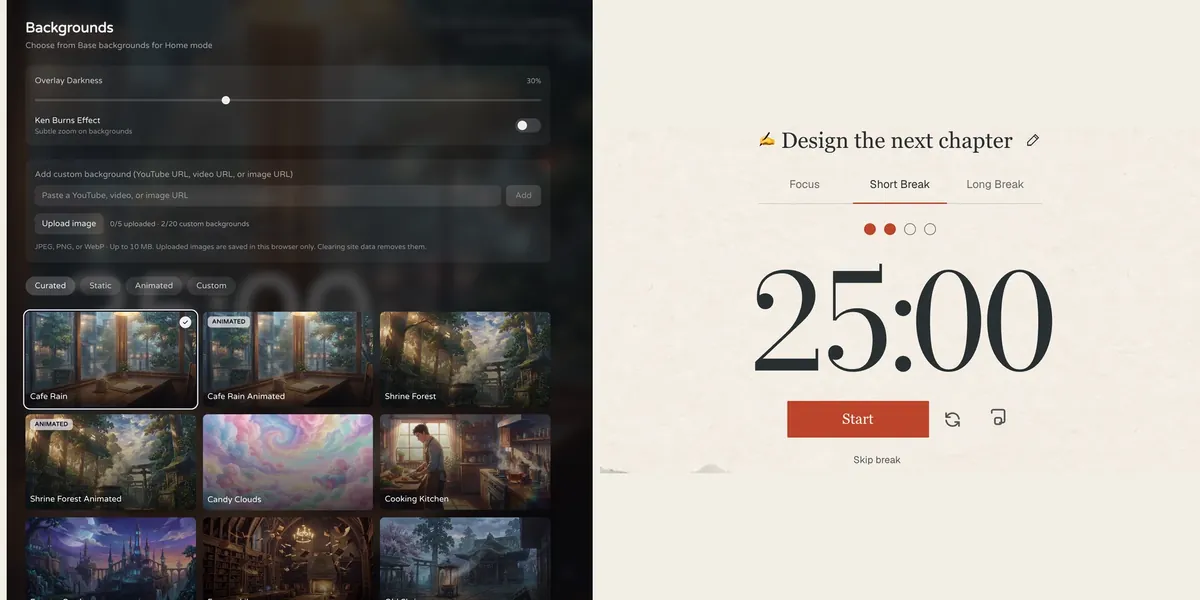
Fwocus: the background picker (left) and the Pomodoro timer (right).
Price
Free plan, or Pro for $19.99 once. No subscription.
Best for
Students who want scenes, tasks, notes, sounds and stats in one calm tab.
Free tier limits
Generous: timers, tasks, notepad, sounds and music tools, cloud sync and one custom background are free. Pro adds paid themes, full focus history and up to 20 custom backgrounds.
Key edge
Scenes, tasks, notes, sounds and focus stats in one tab, with more in the free plan. Pro is $19.99 once, with no subscription.
Fwocus is the app I build. It is my top pick for Forest users who study at a desk. It is an aesthetic Pomodoro timer and focus dashboard in one browser tab. There is nothing to install.
Forest gives you a tree to protect. Fwocus gives you a room to sit in. You choose from more than 60 backgrounds, and some are animated, such as Cafe Rain and Shrine Forest. The scene stays with you for the whole session. You can layer ambient sounds and set the volume of each one.
The free plan is generous. Tasks with time estimates, a notepad, sounds, today's totals, streaks and cloud sync are all free. Pro adds paid themes, your full focus history and up to 20 custom backgrounds. It costs $19.99 once. Forest Plus costs $35.99 every year.
What replaces Forest:
A focus timer with five types: Pomodoro, 52/17, Animedoro, Countdoro and Stopwatch
A calm scene as your cue to start, from 60+ backgrounds
Ambient sounds you can layer, with no coins to unlock them
Today's totals and streaks for free, and your full focus history with Pro
Tasks with time estimates and a notepad, right next to the timer
A floating picture-in-picture timer, in browsers that support it
Results from a Fwocus student: from 9 to 26 focused hours a week
Weekly focus time of a second-year nursing student, before and after moving study sessions to Fwocus (Aug to Oct 2026)
9h → 26hfocus a week
41 dayslongest streak
4.6sessions a day
“I stopped fighting the timer. I open my café scene, pick one task, and the hours add up on their own.”Second-year nursing student, using Fwocus since August 2026
An honest note: Fwocus does not lock the apps on your phone. If your phone is still the problem, put it in another room while Fwocus runs the session on your laptop. Want to try first? Open the free aesthetic timer on this site. It needs no sign-up.
Free download. The App Store lists Tide Plus from $9.99 a month or $54.99 a year.
Best for
Calm nature sounds with a focus timer on your phone.
Free tier limits
Some content needs Tide Plus.
Key edge
Focus, sleep and meditation in one app, with Apple Watch support.
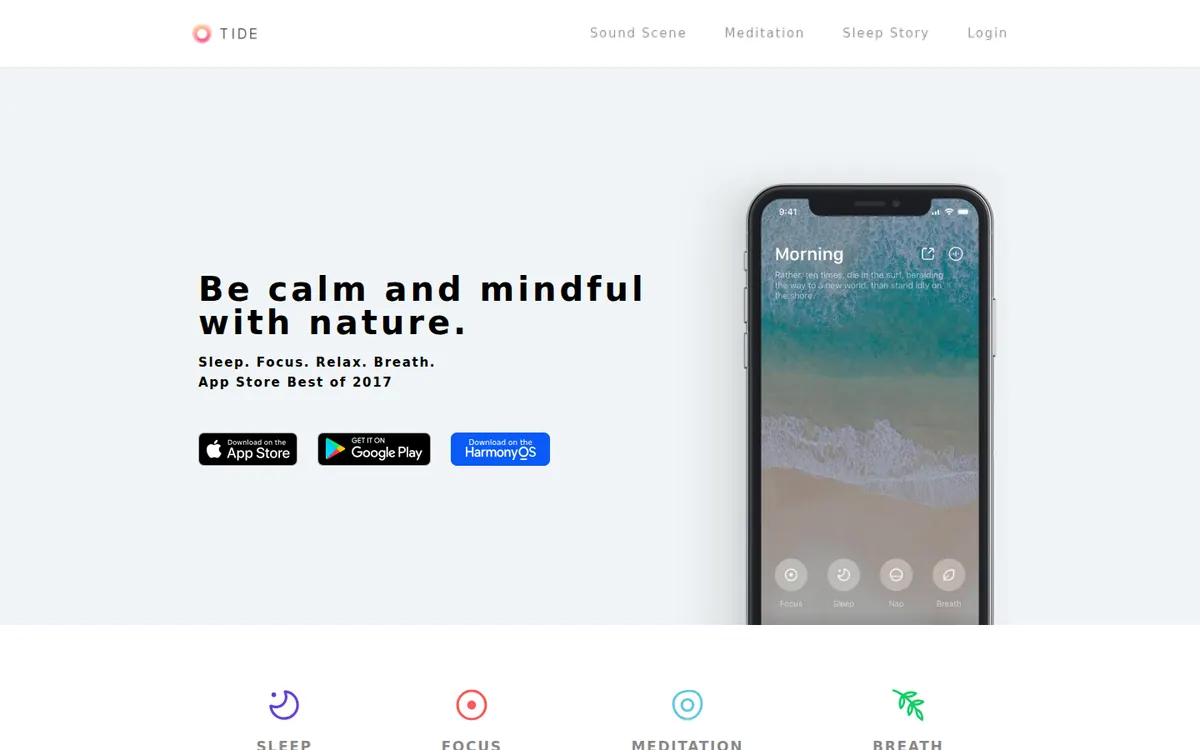
Tide is the closest swap if you want to stay on your phone. It is a calm sound app with a focus timer. You mix nature sounds such as rain, ocean waves, forest and fire. It also has sleep sounds, guided meditation and breathing guides.
Tide runs on iPhone, iPad, Mac, Apple Watch and Android. The app is a free download, with more content in Tide Plus. The App Store lists Tide Plus from $9.99 a month or $54.99 a year.
What replaces Forest:
A focus timer on your phone
A sound mixer for rain, ocean, forest and fire
Focus reports and a session history
Breathing guides, close to Forest's Mindful Space
The catch: Tide has no web app, and its official pages do not mention app blocking. Tide Plus also costs more than Forest Plus. For desk study, Fwocus covers the screen you actually work on.
3. Momentum: Best for blocking distracting websites
MomentumNew tab dashboard with a calm photomomentumdash.com
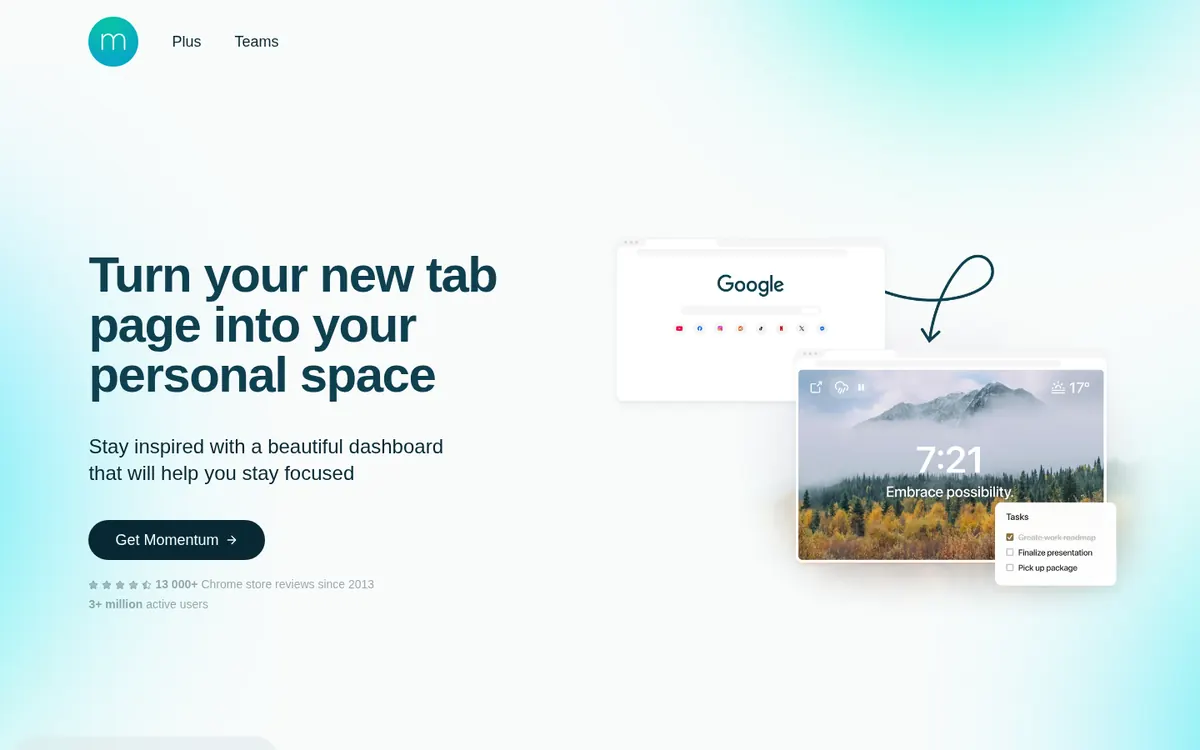
momentumdash.com on November 3, 2026.
Price
Free. Momentum Plus is $39.95 a year.
Best for
A calm new tab page that you see many times a day.
Free tier limits
Focus Mode, the Pomodoro timer, the site blocker and soundscapes need Plus.
Key edge
It is there every time you open a new tab, with no app to open.
Momentum replaces the new tab page in your browser. Each new tab shows a calm photo, the time and your goal for the day. For a Forest user, the key feature is the site blocker. It brings a Forest-style rule to your laptop.
Its focus tools sit in Momentum Plus: the Pomodoro timer, soundscapes and the site blocker. Plus costs $39.95 a year on the web, with a 30-day money-back guarantee.
What replaces Forest:
A site blocker for your browser, with Plus
A Pomodoro timer and soundscapes, with Plus
A to-do list, with Todoist and Asana links on Plus
The catch: free users get limited Focus Mode time, and the Pomodoro timer needs Plus. If you want a timer and sounds with no yearly fee, Fwocus has both in its free plan.
4. LifeAt: Best for studying with other people
LifeAtVirtual workspace with video spaces and musiclifeat.io
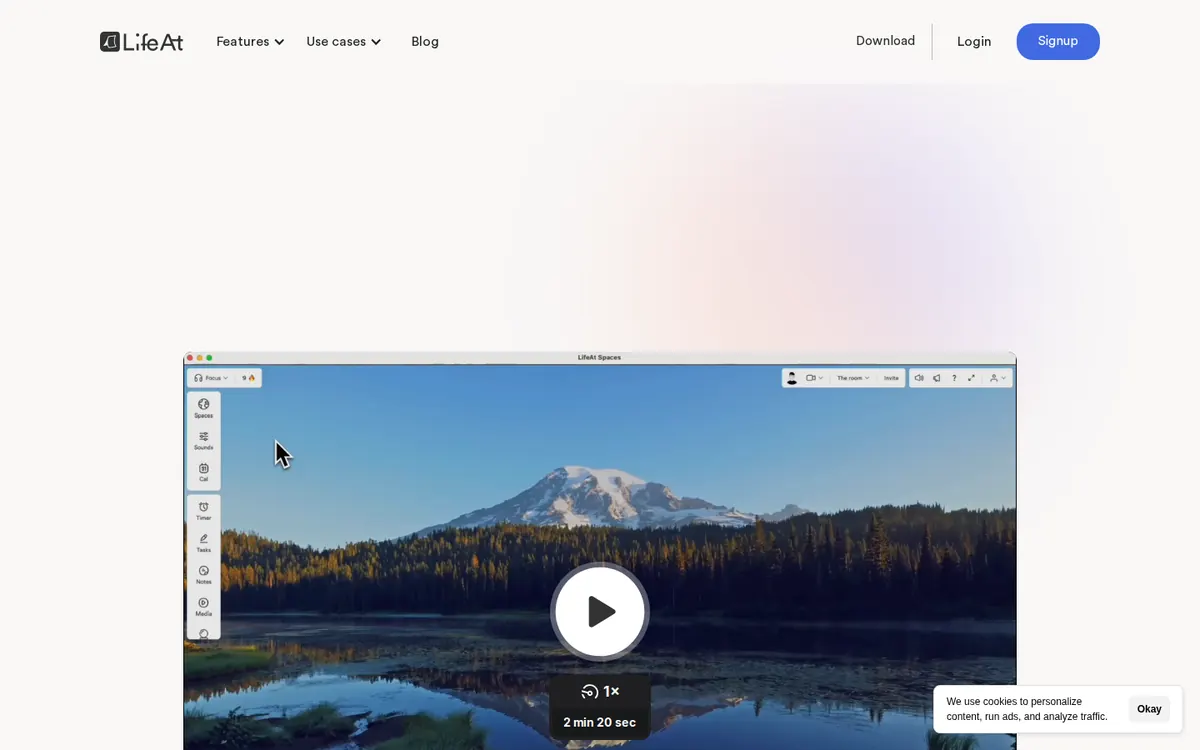
lifeat.io on November 3, 2026.
Price
Free plan. Pro is $8 a month billed yearly, or $12 a month (early-bird prices).
Best for
People who want to work inside a moving video space with music.
Free tier limits
One to-do list, a limited set of spaces, no daily planner and no multiple calendars.
Key edge
More than 1,000 Pro spaces, plus calendars and a daily planner.
Forest's Plant Together lets friends grow one tree as a group. LifeAt offers a different kind of group focus. You can join public co-working rooms or invite people to your own room. The room shares one Pomodoro timer, and only the host can start or pause it.
LifeAt is a virtual workspace. You work inside a video space, such as a mountain lake, with music and a timer on top. It runs in the browser and as a Mac and Windows app. The free plan has one to-do list and a limited set of spaces.
What replaces Forest:
Group focus sessions in shared rooms
A Pomodoro timer and a to-do list
Ambient sounds and focus music
The catch: video calls in co-working rooms need Pro. Pro is $8 a month billed yearly, or $12 a month. That is more than Forest Plus, and far more than $19.99 once for Fwocus Pro.
5. Pomofocus: Best free plain timer with reports
PomofocusPlain online Pomodoro timer with taskspomofocus.io
pomofocus.io on November 3, 2026.
Price
Free. Premium is a paid upgrade inside the app.
Best for
A plain timer with a task list and no setup.
Free tier limits
Up to 3 saved templates. Projects, yearly reports and CSV downloads need Premium. The free version shows ads.
Key edge
Tasks with estimated pomodoros and a finish time.
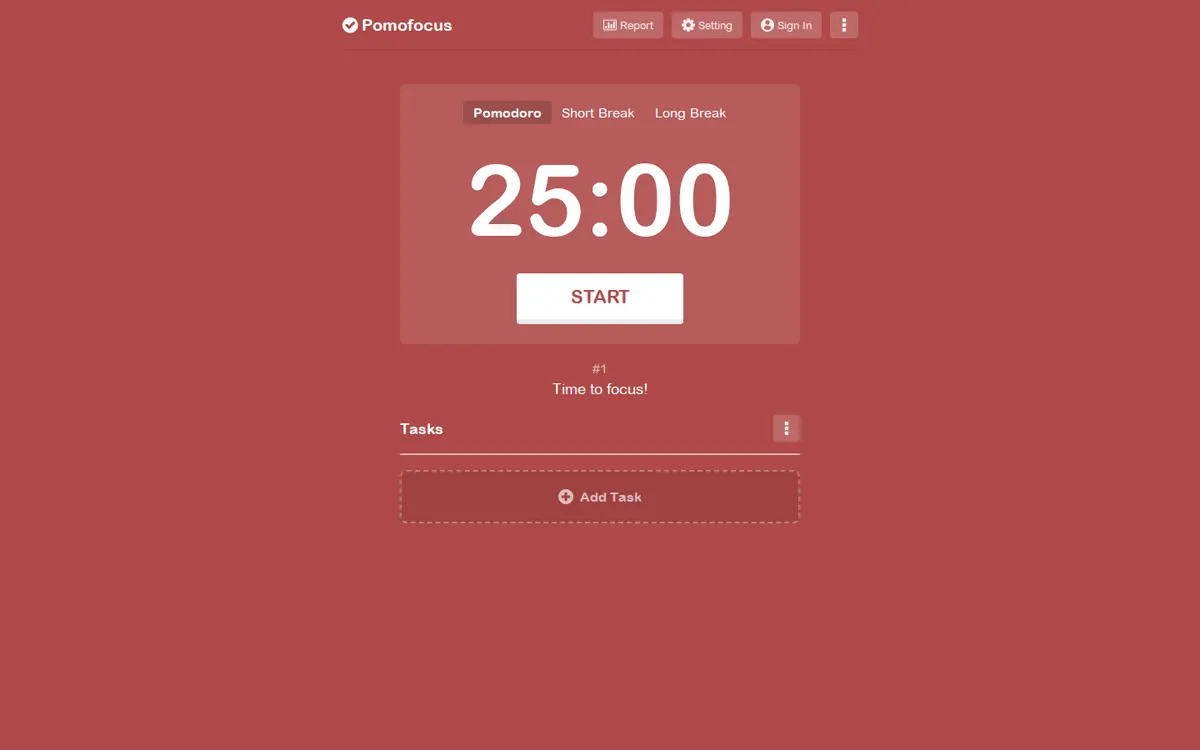
Pomofocus is the simplest app on this list. A large timer sits on a plain color, with a task list below it. It works in desktop and mobile browsers. There are also desktop apps for Mac, Windows and Linux.
It covers what many Forest users like most: watching focus time add up. Daily, weekly and monthly reports are free. You can give each task an estimate in pomodoros, and Pomofocus shows when you will finish.
What replaces Forest:
A focus timer with your own focus and break lengths
Daily, weekly and monthly reports, for free
Tasks with estimates and a finish time
The catch: the free version shows ads, and there is nothing calm to look at. You get no game, no tree and no scene. A paid Premium plan removes the ads.
6. Flocus: Best paid aesthetic dashboard
FlocusAesthetic focus dashboard in the browserflocus.com
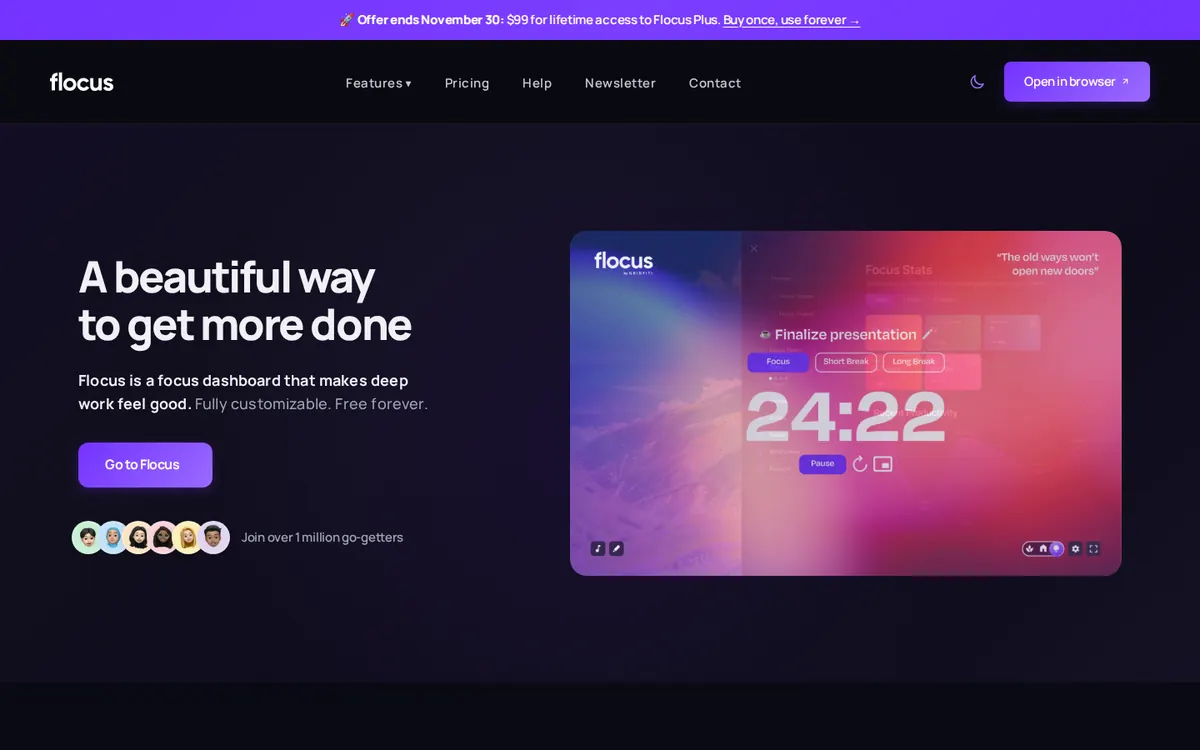
flocus.com on November 3, 2026, with the lifetime offer banner at the top.
Price
Free plan. Plus is $5 a month billed yearly ($60), with a 7-day trial. Lifetime is $99 until November 30, 2026, then $149.
Best for
People who want a polished aesthetic dashboard and pay for Plus.
Free tier limits
Up to 3 tasks at a time, one-day stats, and a limited set of themes and sounds. The notepad and cross-device sync need Plus.
Key edge
Plus connects your own Spotify, Apple Music, YouTube or SoundCloud playlists.
Flocus is an aesthetic focus dashboard in the browser, from Gridfiti. Like Fwocus, it puts a timer on a calm theme, with ambient sounds and a task list. It is built for desktop and tablet, and it has no phone app.
Its free plan is tight. You get up to 3 tasks at a time, one-day stats, and a limited set of themes and sounds. Flocus Plus is $5 a month billed yearly. Lifetime access is $99 until November 30, 2026, and $149 after that.
What replaces Forest:
A calm screen for laptop study
Ambient sounds and curated playlists
A focus timer and a short task list
The catch: the notepad, cross-device sync and full stats need Plus. Fwocus has the notepad and sync in its free plan, and Pro is $19.99 once. My Flocus vs Fwocus guide compares the two in detail.
7. StudyWithMe.io: Best free timer with no account
StudyWithMe.ioFree aesthetic Pomodoro timer by Gridfitistudywithme.io
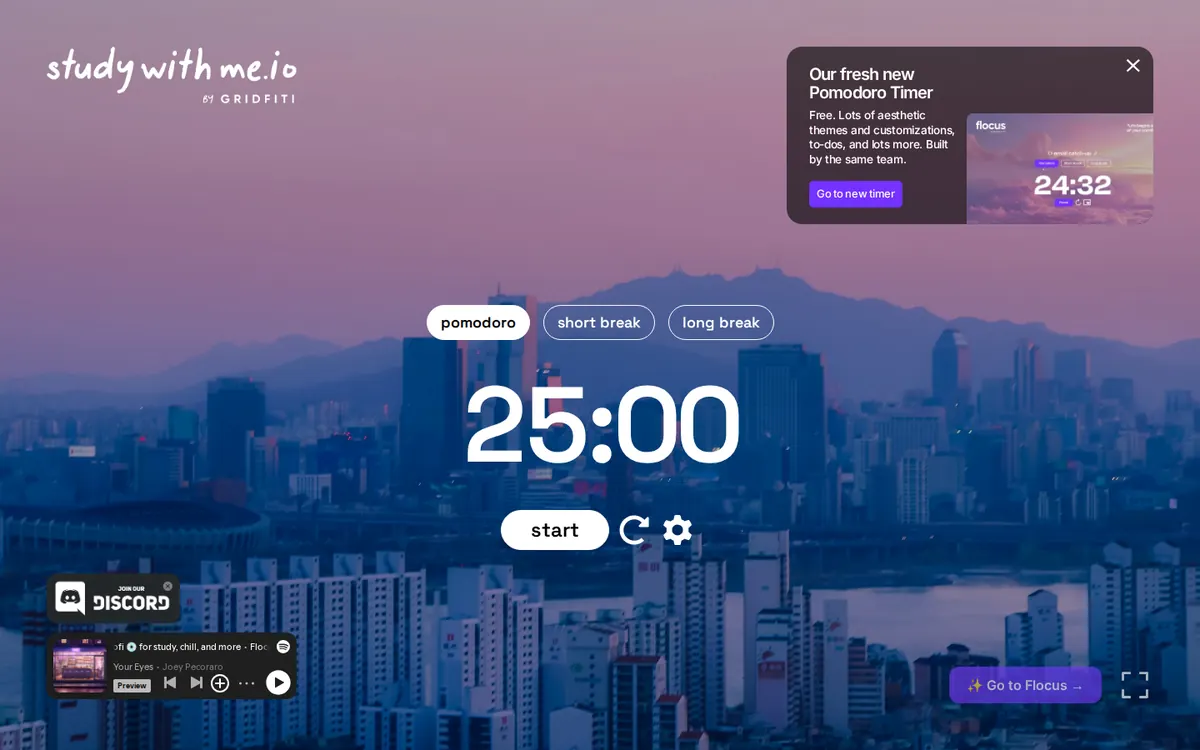
studywithme.io on November 3, 2026. The banner at the top right points to Flocus.
Price
Free.
Best for
A free aesthetic timer with no sign-up.
Free tier limits
Pomodoro, short break and long break timers on a themed scene. No tasks, notes or stats.
Key edge
Made by Gridfiti, the team behind Flocus, so the look is close. You start in one click.
Gridfiti, the company that also runs Flocus, makes StudyWithMe.io. It is a free aesthetic timer in the browser. You open the page, press start, and the session begins. You do not need an account.
Three modes are available: pomodoro, short break and long break. The timer sits on a themed scene, with a Spotify player in one corner. When I visited on November 3, a banner promoted Flocus as the team's newer timer.
What replaces Forest:
A free focus timer with no account
A themed scene in place of a tree
The catch: it is a timer and nothing more. There are no tasks, notes or stats, so your focus time does not add up anywhere. Fwocus keeps today's totals and your streak for free.
Forest alternatives: side-by-side comparison
Eight rows: the seven alternatives, with Forest as the reference at the bottom. Each app gets the same six facts.
App
Free plan
Paid from
Backgrounds
Tasks & stats
Platforms
Best for
Fwocus
✓ Timer, tasks, notepad, sounds, sync
$19.99 once
60+, some animated
✓ Tasks with finish time, notepad, stats
Web, any device
A full aesthetic dashboard
Tide
~ Free content, more with Plus
$9.99/mo or $54.99/yr
Nature scenes with sound
~ Focus timer, sleep, meditation
iPhone, iPad, Mac, Android
Calm sounds on your phone
Momentum
✓ New tab with photo and time
$39.95/yr
Photos; your own with Plus
~ Pomodoro and blocker with Plus
Browser extension, iOS
A calm new tab page
LifeAt
✓ 1 to-do list, some spaces
$8/mo yearly or $12 monthly
1,000+ video spaces with Pro
✓ To-dos, notes, calendars
Web, desktop app
Immersive video spaces
Pomofocus
✓ Timer, tasks, reports
Premium, in-app price
✗ Plain color
✓ Tasks, reports
Web, Mac, Windows, Linux
A plain timer with tasks
Flocus
✓ Timer, 3 tasks, 1-day stats
$5/mo yearly; $99 lifetime
Themes; own and YouTube with Plus
~ Full tasks and stats with Plus
Web
A polished dashboard, with Plus
StudyWithMe.io
✓ Full timer, no account
None
Themed scenes
✗ Timer only
Web
A free timer, no sign-up
ForestReference
~ Free download, in-app purchases
$5.99/mo or $35.99/yr
✗ A growing tree
~ Focus stats and tags
iPhone, iPad, Android
Staying off your phone
Overall scorecard
Stars for the four criteria from my method. Five stars marks the best in this group. It does not mean the app is perfect.
App
Looks
Focus tools
Free value
Ease of start
Fwocus
★★★★★
★★★★★
★★★★★
★★★★★
Tide
★★★★★
★★★★★
★★★★★
★★★★★
Momentum
★★★★★
★★★★★
★★★★★
★★★★★
LifeAt
★★★★★
★★★★★
★★★★★
★★★★★
Pomofocus
★★★★★
★★★★★
★★★★★
★★★★★
Flocus
★★★★★
★★★★★
★★★★★
★★★★★
StudyWithMe.io
★★★★★
★★★★★
★★★★★
★★★★★
Forest
★★★★★
★★★★★
★★★★★
★★★★★
How to move from Forest to a desk routine
Forest trains one habit: start a timer and leave your phone alone. Keep that habit. Change only the place where it happens. This is the setup I suggest to students:
Keep your session length. Check the focus length you pick most often in Forest. Set the same number in your new timer.
Give your phone a place. Put it face down across the room, or in your bag. Distance does the job the tree did.
Choose one scene and keep it. The same scene every day becomes your cue to start. It replaces the moment you planted a seed.
Write today's tasks first. Add two or three tasks before you press start. A clear task makes the first minute easier.
Keep Forest for one week. Do not delete your forest yet. Run both apps for a week, then decide what you still need.
Which Forest alternative should you choose?
You study on a laptop and want a calm place to work → FwocusScenes, sounds, a timer, tasks, notes and streaks in one browser tab. Most of it is free, and Pro is $19.99 once. This is my pick for most students.
You want to stay on your phone → TideNature sounds and a focus timer on iPhone, Android and Apple Watch.
You need to block distracting websites → MomentumIts site blocker works in your browser, as part of Momentum Plus.
You want to focus with other people → LifeAtShared rooms with one group timer. Video calls need Pro.
More study timer comparisons
Still weighing your options? Each guide below tests one app on the same four criteria as this one.
Flocus alternatives: 7 aesthetic dashboards ranked if Flocus isn't quite right
Forest is built for iPhone, iPad and Android. It also has a browser extension. Its Chrome Web Store listing shows a last update on December 22, 2024, and a rating of 3.0 out of 5. For laptop study, a browser app such as Fwocus fits better. It runs in your browser with nothing to install.
Is Forest free?
Forest is a free download, and its site says core focus is free with no card. The free app shows ads, but Forest says they never appear during an active session. Its plan table lists pause, Focus Analytics, custom tags and multi-app Time Guard under Forest Plus.
How much is Forest Plus?
On the US App Store, Forest Plus is $5.99 a month or $35.99 a year. Both are early-bird prices. Forest says prices vary by region and platform, so check your own app store. For comparison, Fwocus Pro is $19.99 once, with no subscription.
What is the best free alternative to Forest?
For desk study, Fwocus. Its free plan includes the timer, tasks, a notepad, ambient sounds, streaks and cloud sync. If you want a plain timer with free reports, try Pomofocus. If you only want a timer with no account, try StudyWithMe.io.
Can Fwocus block apps like Forest does?
No. Fwocus does not block apps or websites. It works the other way. It makes your study screen calm and complete, so you have fewer reasons to leave it. If you need a hard block, keep Forest on your phone, or use Momentum Plus for websites.
The best Forest alternative for most students
Forest is good at guarding your phone. But most study happens on a laptop, and Forest leaves that screen empty. Fwocus fills it with a calm scene, layered sounds, a timer, tasks, a notepad and streaks. Most of that is free. Pro is $19.99 once, against $35.99 a year for Forest Plus. If your phone still pulls at you, put it out of reach while Fwocus runs.
Take action now:
Open Fwocus on your laptop and sign in with Discord or an email link.
Choose one background and set the focus length you used in Forest.
Put your phone out of reach, add today's first task, and press start.