I checked both apps against their official sources on November 3, 2026. For Forest, that means forestapp.cc and its US App Store listing. For Fwocus, it means our own site and terms. I took no prices from review sites.
I founded Fwocus, so please read this with that in mind. Both apps get the same spec card and the same four criteria:
LooksWhat is on the screen during a session, and how calm it feels.
Focus toolsTimers, tasks, notes, stats, and ways to keep distractions away.
Free valueWhat you can use with no payment and no card.
Ease of startHow fast you get from opening the app to focusing.
My short take: these apps solve different problems. Forest protects you from your phone. Fwocus gives your laptop a calm place to study. Most students do their real work on a laptop, so Fwocus is my pick.
Forest vs Fwocus: the main differences
Both apps help you focus for a set time. They use opposite ideas to get there.
Device. Forest runs on iPhone, iPad and Android. Fwocus runs in the browser on a laptop, tablet or phone, with nothing to install.
Motivation. Forest uses loss. If you leave the app early, your tree dies. Fwocus uses comfort. A calm scene and soft sound make your desk a place you want to stay.
Tools. Forest has a timer, Deep Focus app blocking, focus tracking and group sessions. Fwocus has five timer types, tasks with time estimates, a notepad, layered sounds and streaks.
Price. Forest Plus is a subscription at $35.99 a year, early-bird price. Fwocus Pro is $19.99 once, with nothing to renew.
So the real question is simple. Where does your focus break: on the phone, or at the desk?
Forest and Fwocus, app by app
Both apps get the same spec card: price, who it suits, free plan limits and its key edge. Under each card, I list where the app is strongest.
Fwocus: Best for focused study at your desk
FwocusAesthetic Pomodoro timer and focus dashboardfwocus.com
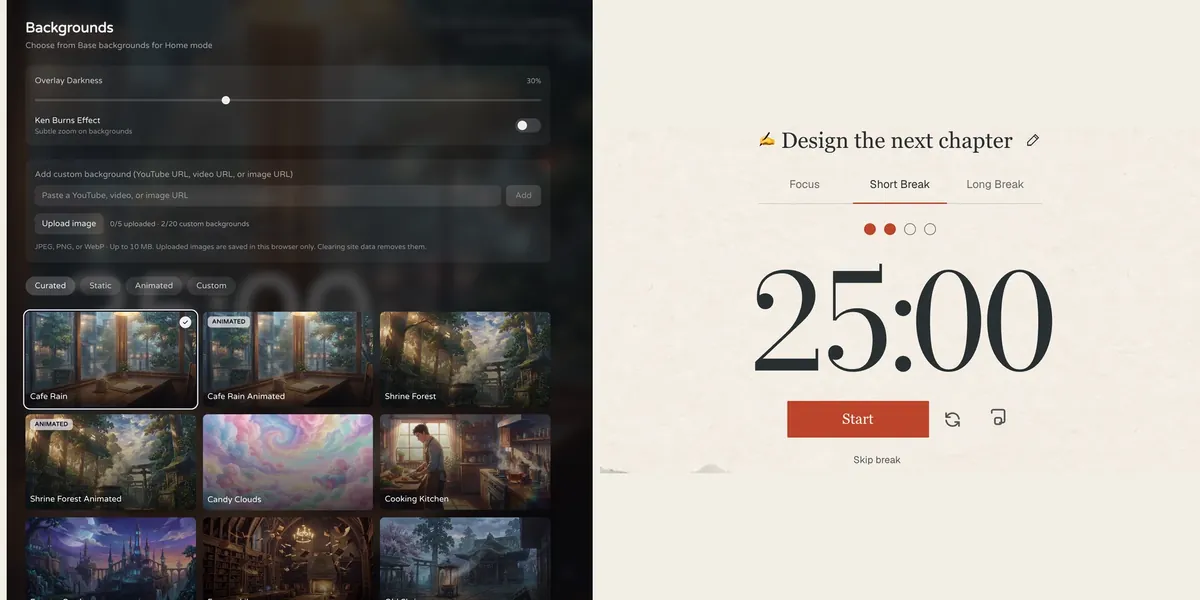
Fwocus: the background picker (left) and the Pomodoro timer (right).
Price
Free plan, or Pro for $19.99 once. No subscription.
Best for
Students who want scenes, tasks, notes, sounds and stats in one calm tab.
Free tier limits
Generous: timers, tasks, notepad, sounds and music tools, cloud sync and one custom background are free. Pro adds paid themes, full focus history and up to 20 custom backgrounds.
Key edge
Scenes, tasks, notes, sounds and focus stats in one tab, with more in the free plan. Pro is $19.99 once, with no subscription.
I build Fwocus for one moment. You sit down at your laptop, and you need to start. You open one tab, choose a scene and press start. The scene, timer, tasks and sounds all share that one screen.
There are more than 60 backgrounds, and some are animated, such as Cafe Rain and Shrine Forest. You can layer ambient sounds and set each volume. Next to the timer, a task list shows your time estimates. A notepad holds the thoughts that would otherwise pull you away. In browsers that support it, a picture-in-picture timer floats above your other windows.
The free plan is built for daily use. Pro adds paid themes, your full focus history and up to 20 custom backgrounds. It is $19.99 once, with no subscription.
What Fwocus gives a Forest user:
A study space on the screen where your work actually is
Five timer types: Pomodoro, 52/17, Animedoro, Countdoro and Stopwatch
Ambient sounds you can layer, with no coins needed
Tasks with time estimates and a notepad, both in the free plan
Today's totals and streaks for free, and full history with Pro
Results from a Fwocus student: from 9 to 26 focused hours a week
Weekly focus time of a second-year nursing student, before and after moving study sessions to Fwocus (Aug to Oct 2026)
9h → 26hfocus a week
41 dayslongest streak
4.6sessions a day
“I stopped fighting the timer. I open my café scene, pick one task, and the hours add up on their own.”Second-year nursing student, using Fwocus since August 2026
Where Forest is stronger: Fwocus does not block apps on your phone. If that is your main problem, keep the phone out of reach while you study. You can test a session first with the free aesthetic timer. No sign-up is needed.
ForestGrow a tree while you stay off your phoneforestapp.cc
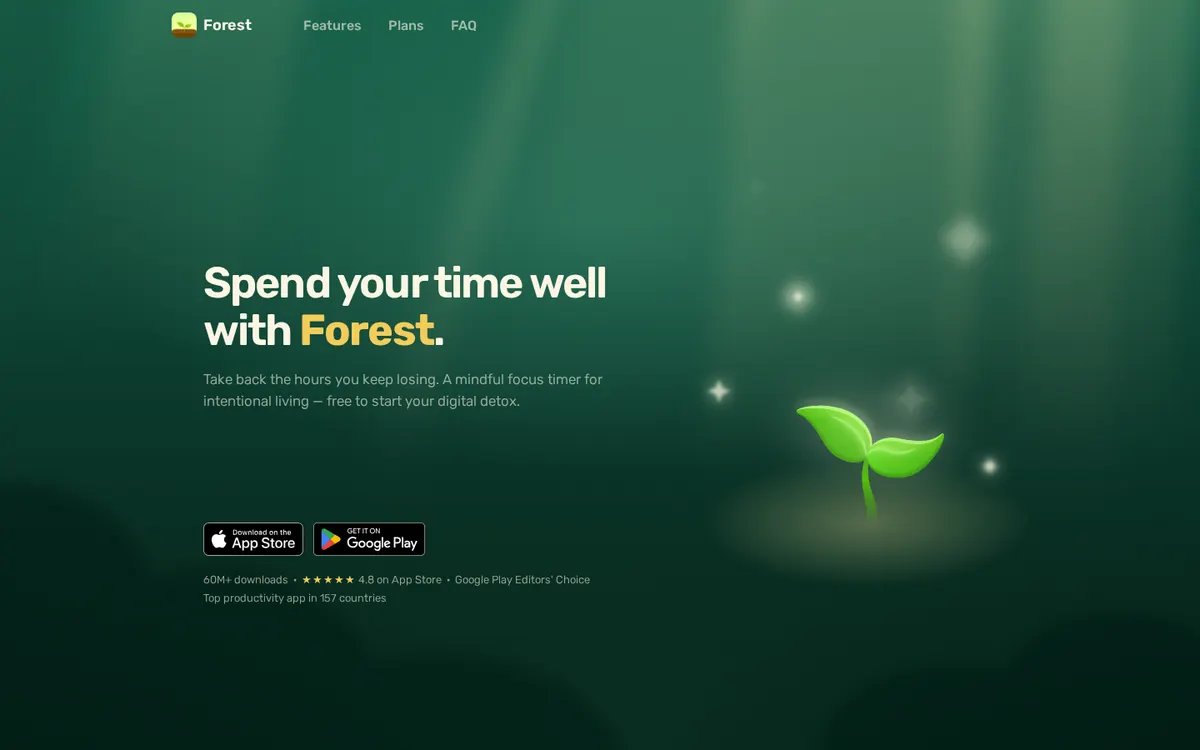
forestapp.cc on November 3, 2026.
Price
Free download on iPhone, with in-app purchases. Forest Plus is $5.99 a month or $35.99 a year (early-bird prices).
Best for
Keeping your phone out of the session.
Free tier limits
The free app shows ads. Forest Plus adds faster coin rewards and Plus-only tree species.
Key edge
Your tree dies if you leave the app early, and focus time can plant real trees.
Forest, from Seekrtech, turns focus into a small game. You set a time and plant a seed. If you leave the app before the time ends, your tree dies. Over weeks, your trees fill a forest that shows your effort.
The free app covers core focus. That includes the timer, Deep Focus, Time Guard for one app or site, and Plant Together. In Plant Together, friends grow one tree as a group. If one person gives up, the tree dies for everyone.
Forest Plus adds pause, Focus Analytics, custom tags, an app allowlist and Plus-only tree species. With Plus, you can also spend coins to plant real trees through Trees for the Future. The US App Store lists Plus at $5.99 a month or $35.99 a year, both early-bird prices.
What Forest does well:
A clear cost for leaving a session: your tree dies
Deep Focus and Time Guard to keep you out of other apps
Plant Together sessions with friends
Core focus that works offline
Where it falls short for desk study: Forest's site does not describe tasks, notes or background scenes. The free app shows ads outside active sessions. Its browser extension was last updated on December 22, 2024.
Forest vs Fwocus: side-by-side comparison
The same six facts for both apps, checked on November 3, 2026.
Feature
Fwocus
Forest
Free plan
✓ Timer, tasks, notepad, sounds, sync
~ Free download, in-app purchases
Paid from
$19.99 once
$5.99/mo or $35.99/yr
Backgrounds
60+, some animated
✗ A growing tree
Tasks & stats
✓ Tasks with finish time, notepad, stats
~ Focus stats and tags
Platforms
Web, any device
iPhone, iPad, Android
Best for
A full aesthetic dashboard
Staying off your phone
Scorecard
Stars on my four criteria. I score both apps against every focus app I compare on this site. Five stars means the best in that wider group.
Criterion
Fwocus
Forest
Looks
★★★★★
★★★★★
Focus tools
★★★★★
★★★★★
Free value
★★★★★
★★★★★
Ease of start
★★★★★
★★★★★
Can you use Forest and Fwocus together?
Yes. The two apps do not fight for the same screen. Forest sits on your phone, and Fwocus sits on your laptop. Here is a simple setup:
Open Fwocus first. Pick your scene, set the focus length, and add the task for this block.
Start both timers together. Use the same length in Forest, so your tree grows while you work.
Take breaks away from the phone. When the Fwocus break starts, stand up and stretch. Leave the phone where it is.
After two weeks, check if the desk habit holds without the tree. If it does, you can stop paying for Forest Plus. Then one app, and at most one payment of $19.99, covers your study.
Forest or Fwocus: which should you choose?
You study on a laptop or desktop → FwocusScenes, sounds, a timer, tasks and notes on the screen where your work is. It is free to start, and Pro is $19.99 once.
You want tasks and notes next to your timer → FwocusForest does not describe a task list or notes. Fwocus has both in the free plan.
You want one payment instead of a subscription → FwocusFwocus Pro is $19.99 once. Forest Plus renews every month or every year.
Your phone is the only thing that breaks your focus → ForestThe tree, Deep Focus and Time Guard keep you out of your other phone apps.
You want to focus with friends on your phones → ForestPlant Together grows one shared tree. If anyone leaves, it dies for all.
More study timer comparisons
Still weighing your options? Each guide below tests one app on the same four criteria as this one.
Flocus alternatives: 7 aesthetic dashboards ranked if Flocus isn't quite right
For laptop study, yes. Fwocus puts scenes, sounds, a timer, tasks and notes in one browser tab, and most of it is free. Forest is better at one thing: keeping you off your phone. Pick the app that fixes your biggest problem.
Does Forest work on a computer?
Forest is built for iPhone, iPad and Android. A Forest browser extension exists, but its Chrome Web Store listing was last updated on December 22, 2024. It has a 3.0 out of 5 rating there. Fwocus runs in your browser, with nothing to install.
Is Fwocus cheaper than Forest?
Yes, over time. Fwocus has a free plan, and Pro costs $19.99 once. Forest is a free download. On the US App Store, Forest Plus is $5.99 a month or $35.99 a year at early-bird prices. One year of Forest Plus costs more than lifetime Fwocus Pro.
Does Fwocus have an app blocker like Forest?
No. Fwocus does not block apps or websites. It makes the study screen calm and complete, so you have fewer reasons to leave it. If you need a hard block on your phone, Forest does that job well.
Can I use Forest and Fwocus at the same time?
Yes. Run Forest on your phone and Fwocus on your laptop, with the same session length. Your tree grows while you work through your tasks in Fwocus.
Forest vs Fwocus: my verdict
Forest is a smart answer to one problem: the phone in your hand. Fwocus answers a bigger one: how to sit down and do the work. It puts a calm scene, sounds, a timer, tasks and notes on the screen where you study. The free plan covers a normal study day, and Pro is $19.99 once. If you study on a laptop, start with Fwocus. Add Forest only if your phone still wins.
Take action now:
Open Fwocus in your laptop browser and sign in with Discord or an email link.
Choose a background and set your focus length.
Add the one task for this session, put your phone away, and press start.