LifeAt vs Fwocus: Video Workspace or Calm Focus Dashboard?
Dr. Leo Maren · Co-founder of Fwocus · Behavioural scientist··5 min read
In short
Short answer: pick Fwocus for a calm scene with free tasks, notes and sounds, and Pro at $19.99 once. Pick LifeAt for 1,000+ video spaces and live co-working rooms, on a subscription.
Price: LifeAt Pro is $8 a month billed yearly, or $12 a month billed monthly, at early-bird prices. Fwocus has no monthly or yearly plan at all.
Free plan: LifeAt Free gives you one to-do list and a limited set of spaces. Fwocus Free includes the core timers, tasks, a notepad, sounds, streaks and cloud sync.
My verdict: for daily solo study, Fwocus does more for less. LifeAt wins on the size of its video library and on group rooms.
I opened both apps and read both pricing pages on November 3, 2026. For LifeAt, I also read its help center. It lists limits that the pricing page does not show. Both screenshots below are from that day.
Fwocus is my product, so keep that in mind as you read. I gave both apps the same spec card and the same four scores. Where LifeAt is better, I say so. These are the four criteria:
LooksThe scenes, and how the screen feels after a long session.
Focus toolsTimers, tasks, notes, calendars and stats.
Free valueWhat the free plan gives you with no card.
Ease of startThe steps from your first visit to a running timer.
My short take: LifeAt is a bigger, busier workspace. Fwocus is a quieter one, with more in the free plan and one $19.99 price for Pro.
The core difference: a space to visit or a desk to work at
LifeAt is built around spaces. You enter a video scene, such as a mountain lake, and work inside it. Around that scene, LifeAt adds music, a soundboard, to-dos, notes, calendars, a daily planner and public co-working rooms.
Fwocus is built around the session. The scene calms the screen, and the tools help you finish the work. You set a timer and pick today's tasks. The task list then tells you when you will be done. Your notes, streaks and setup sync across devices for free.
Both ideas are valid. But they lead to very different costs. In LifeAt, most of the extra parts need Pro. In Fwocus, the daily tools are free, and Pro is a one-time extra.
LifeAt and Fwocus, one card each
Both apps get the same spec card. Under each card, I list where the app is strong and where it falls short.
Fwocus: Best for daily solo study with no subscription
FwocusAesthetic Pomodoro timer and focus dashboardfwocus.com
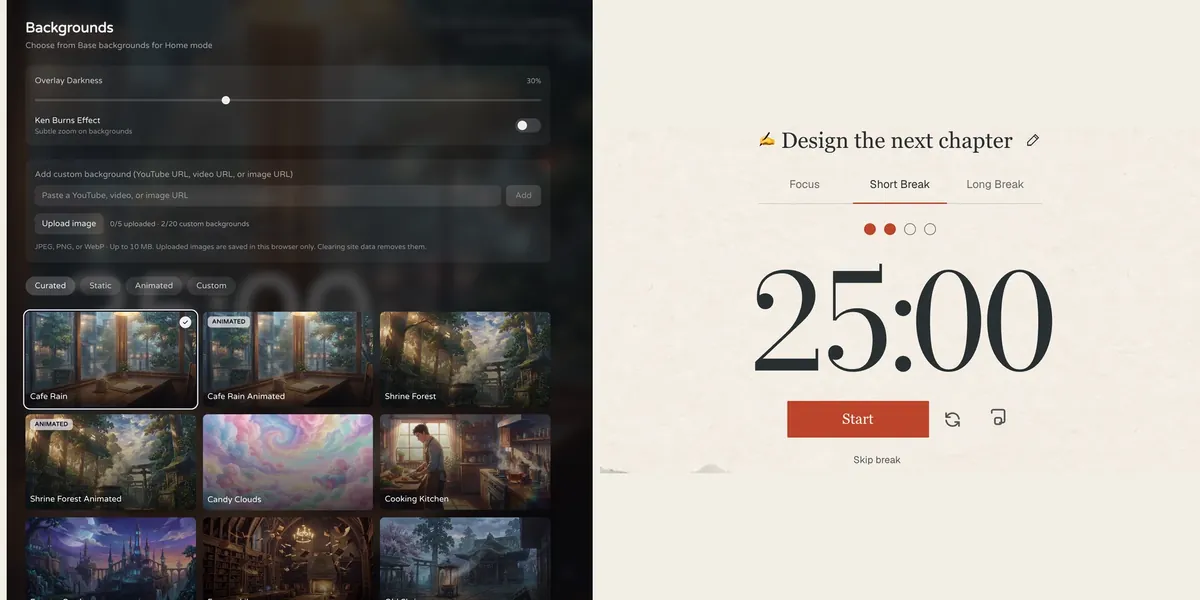
Fwocus: the background picker (left) and the Pomodoro timer (right).
Price
Free plan, or Pro for $19.99 once. No subscription.
Best for
Students who want scenes, tasks, notes, sounds and stats in one calm tab.
Free tier limits
Generous: timers, tasks, notepad, sounds and music tools, cloud sync and one custom background are free. Pro adds paid themes, full focus history and up to 20 custom backgrounds.
Key edge
Scenes, tasks, notes, sounds and focus stats in one tab, with more in the free plan. Pro is $19.99 once, with no subscription.
Fwocus is an aesthetic Pomodoro timer and focus dashboard in one browser tab. I designed it for long study blocks, so the screen stays calm. There are more than 60 backgrounds, and some move slowly, like Cafe Rain and Shrine Forest. A darkness slider keeps the timer clear on a bright scene.
You can choose Pomodoro, 52/17, Animedoro, Countdoro or a stopwatch. Each task takes a time estimate, and Fwocus shows your finish time. You can layer ambient sounds, write in a rich-text notepad, and see today's totals and streaks. All of that is free, with cloud sync. Pro costs $19.99 once. It adds paid themes, your full focus history and up to 20 custom backgrounds.
Where Fwocus is stronger:
A free plan with tasks, a notepad, sounds, streaks and cloud sync
One payment of $19.99 for Pro, not a monthly bill
Five timer types, including 52/17 and Animedoro
A finish-time estimate for your task list
Runs in any browser, also on a phone, with nothing to install
One custom background in the free plan
Results from a Fwocus student: from 9 to 26 focused hours a week
Weekly focus time of a second-year nursing student, before and after moving study sessions to Fwocus (Aug to Oct 2026)
9h → 26hfocus a week
41 dayslongest streak
4.6sessions a day
“I stopped fighting the timer. I open my café scene, pick one task, and the hours add up on their own.”Second-year nursing student, using Fwocus since August 2026
Getting started: open the app and press start. The timer needs no account. Sign in with Discord or an email link to save your notes and stats. If live rooms with other people are a must for you, LifeAt is the better pick.
LifeAt: Best for immersive video spaces and group rooms
LifeAtVirtual workspace with video spaces and musiclifeat.io
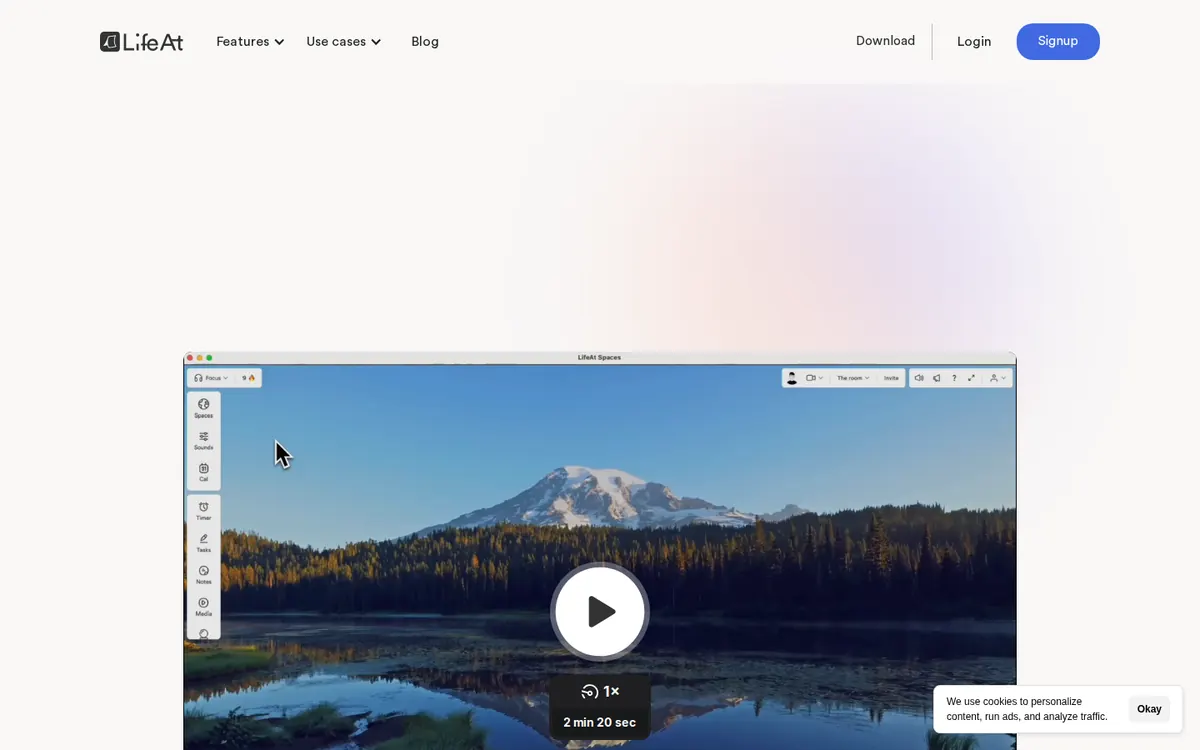
lifeat.io on November 3, 2026.
Price
Free plan. Pro is $8 a month billed yearly, or $12 a month (early-bird prices).
Best for
People who want to work inside a moving video space with music.
Free tier limits
One to-do list, a limited set of spaces, no daily planner and no multiple calendars.
Key edge
More than 1,000 Pro spaces, plus calendars and a daily planner.
LifeAt is a virtual workspace. A moving video space fills the screen, and widgets sit on top. You get a Pomodoro timer, to-dos, notes, a media player and an ambient soundboard. The media widget plays YouTube, Spotify and Apple Music. You can also connect a Google or Outlook calendar to read your events.
Its strongest feature is people. You can join public co-working rooms or invite friends to your own room. The room shares one Pomodoro timer, and only the host can start or pause it. LifeAt runs in the browser, and it has desktop apps for macOS and Windows.
The free plan has one to-do list and a limited set of spaces. Pro unlocks more than 1,000 spaces, unlimited to-dos and notes, multiple calendars, a daily planner and 20+ ambient sounds. It costs $8 a month billed yearly, or $12 a month billed monthly.
Where LifeAt is stronger:
1,000+ video spaces with Pro
Public co-working rooms with a shared group timer
Multiple calendars and a daily planner, with Pro
A media widget for YouTube, Spotify and Apple Music
Desktop apps for macOS and Windows
Where LifeAt falls short: the free plan is small, and Pro is a subscription. Video calls in rooms need Pro. LifeAt's billing page says there are no refunds, except for an upgrade from monthly to yearly. Its help center also lists a known issue: Spotify plays only 30-second previews in the desktop app.
LifeAt vs Fwocus: feature by feature
The same six facts for both apps, taken from each official site on November 3, 2026.
Feature
Fwocus
LifeAt
Free plan
✓ Timer, tasks, notepad, sounds, sync
✓ 1 to-do list, some spaces
Paid from
$19.99 once
$8/mo yearly or $12 monthly
Backgrounds
60+, some animated
1,000+ video spaces with Pro
Tasks & stats
✓ Tasks with finish time, notepad, stats
✓ To-dos, notes, calendars
Platforms
Web, any device
Web, desktop app
Best for
A full aesthetic dashboard
Immersive video spaces
Scores on my four criteria
Stars for each criterion in my method. Five stars means the best score in this comparison, not a perfect app.
Criterion
Fwocus
LifeAt
Looks
★★★★★
★★★★★
Focus tools
★★★★★
★★★★★
Free value
★★★★★
★★★★★
Ease of start
★★★★★
★★★★★
What each app costs you over time
Price is where the two apps differ most. These are the paid plans, at the prices shown on November 3, 2026:
Fwocus Pro: $19.99 one time. You pay once and keep Pro.
LifeAt Pro, monthly: $12 a month. After two months, you have paid more than the full price of Fwocus Pro.
LifeAt Pro, yearly: $8 a month, billed once a year. LifeAt labels both of its rates as early-bird prices.
Look at the free plans too, because many students never pay. LifeAt Free gives you one to-do list and some spaces. Fwocus Free gives you the core timers, tasks, a notepad, sounds, streaks and sync. For most students, that is enough for daily study.
Switching from LifeAt to Fwocus
A switch takes about ten minutes if you do it before a session. Follow these steps:
Copy your timer lengths. Open LifeAt's Pomodoro settings and note your focus and break minutes. Enter them in Fwocus.
Choose a familiar scene. If you liked a rainy window or a café space in LifeAt, pick a similar Fwocus background. The same view helps you start.
Add today's tasks only. Give each one a time estimate, and check the finish time.
Keep LifeAt Pro until one full day works. LifeAt gives no refunds in most cases. So cancel before your next renewal, not in the middle of a paid period.
LifeAt or Fwocus: which should you pick?
You study alone and want calm, not noise → FwocusA slow scene, layered sounds and your task list in one tab. It is free for daily use.
You dislike subscriptions → FwocusPro is $19.99 once. There is no monthly or yearly plan to cancel.
You want to study with others on camera → LifeAtPublic co-working rooms with a shared timer. Video calls need Pro.
You want a huge video library and a planner → LifeAtMore than 1,000 spaces, multiple calendars and a daily planner, all with Pro.
More study timer comparisons
Still weighing your options? Each guide below tests one app on the same four criteria as this one.
Flocus alternatives: 7 aesthetic dashboards ranked if Flocus isn't quite right
For solo study on a budget, yes. Fwocus gives you scenes, sounds, tasks, a notepad, streaks and cloud sync for free, and Pro is $19.99 once. LifeAt is better if you want 1,000+ video spaces or live co-working rooms, and a subscription is fine for you.
Is LifeAt free to use?
Yes, LifeAt has a free plan. It includes one to-do list and a limited set of spaces. The daily planner, multiple calendars, all spaces and unlimited notes need Pro. Video calls in co-working rooms need Pro too.
How much is LifeAt Pro compared with Fwocus Pro?
LifeAt Pro is $8 a month billed yearly, or $12 a month billed monthly, at early-bird prices. Fwocus Pro is $19.99 one time. Fwocus has no monthly or yearly plan.
Does Fwocus have moving backgrounds like LifeAt?
Yes. Fwocus has more than 60 backgrounds, and some are animated, such as Cafe Rain and Shrine Forest. The motion is slow, so it calms the screen. LifeAt has a larger video library, with more than 1,000 spaces on Pro.
Do I need to download anything?
Not for Fwocus. It runs in your browser on a laptop or a phone, and the timer works without an account. LifeAt also runs in the browser, and it offers desktop apps for macOS and Windows.
My verdict on LifeAt vs Fwocus
LifeAt is a good choice if you want a big, social workspace and a monthly bill does not bother you. For a student who sits down alone to study most days, Fwocus is the better tool. The screen is calmer, the daily tools are free, and Pro costs $19.99 one time. That is why I recommend Fwocus to most people who ask me about the two.
Take action now:
Open Fwocus in a new tab. The timer works before you sign in.
Choose a scene that feels like your favorite LifeAt space, and add one sound.
Enter your timer lengths, add today's tasks, and run one full session.